SafeQod

The QR code you can trust

You couldn’t trust QR codes for field tracking.
Until now.

Feedback collection

Task management

Time tracking

White square device with a QR code and the word 'Taqt' printed below it on a gray background.

Cheating is everywhere

Especially in the field.
Printed QR codes can be copied and misused, making them unsafe for field activity tracking. SafeQod displays a unique QR code that changes at regular intervals.

Rolling QR code

Standard QR codes are dangerous open doors to your IT system. Only secure QR codes can ensure that you won't be flooded by fake data.

Privacy-respecting design

GPS tracking feels intrusive and is easy to fake. SafeQod is a smarter, more secure way for managers to track attendance.

Seamless use and integration

No app required: it works like a standard QR code. Connect your secure QR code with Microsoft Power Automate, Zapier, or any other App thanks to the Ubiqod platform.

Pattern of alternating squares and curved quarter circles in gradient shades from red to blue on a black background.Pattern of alternating squares and curved quarter circles in gradient shades from red to blue on a black background.
White square smart light switch with a central square button and the brand name Taqt below it.
Square QR code centered on a white background.
Black and white QR code centered on a light gray square background.
Rounded black square centered on a white background.
Graphic titled 'Expanded Utility' showing a layered diagram with 'Utility 1' and 'Utility 2' boxes above a central Ubiqod icon and text explaining lookalike audiences and data pooling benefits in advertising.

As easy as scanning a standard QR code

Upon scanning the QR code displayed on SafeQod, the system validates the code's authenticity and logs the task. If an outdated or copied code is scanned, it is recognized as invalid, and the attempt is flagged, ensuring the integrity of the data collected.

Standard QR codes vs
Secure QR codes

Features

Standard
QR Code

Secure Rolling
QR Code

Protected against copying
Reliable for field tracking
Respects user privacy
Integrated to the Ubiqod platform

Build your solution
on the Ubiqod platform

SafeQod adapts to your needs: build your custom solution for attendance tracking, feedback, task management, or incident reporting.

Dashboard screen showing interface to track on-site attendance with a mobile preview asking 'Are you arriving or leaving?' and buttons labeled In, Out, and Your Choice along with editable answer choices.
Black background with a repeating pattern of white squares and quarter-circle arcs arranged in a grid.

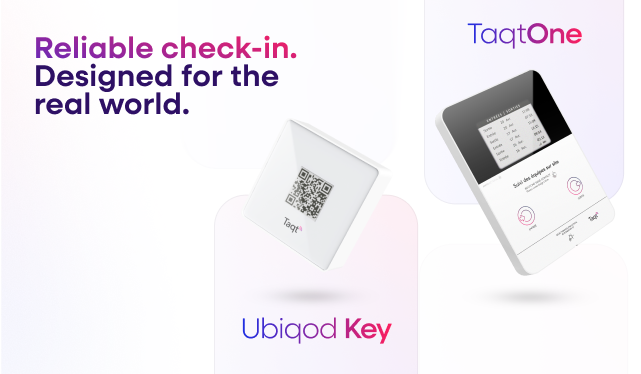
TaqtOne & Ubiqod Key:
can’t decide?

Features
TaqtOne
(Choose Your Solution)
Ubiqod Key
(Build Your Solution)
Screen Display
Last cleanings
Single-use, rolling QR code
Interaction Method
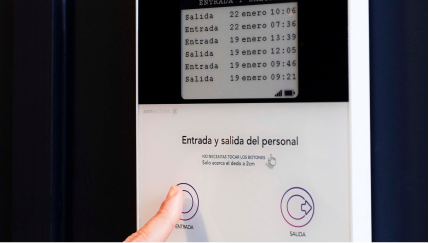
Touchless buttons
User’s smartphone
Check-in method
NFC tags (provided)
User’s smartphone
Customization
One device per use case
One device, multiple use cases, managed online
Use case flexibility
Requires a new front panel for different use cases
Change the QR code function anytime via platform
Connectivity
No WiFi or cables needed, needs a GSM network
No WiFi or cables needed
Power Source
Battery-powered
Battery-powered
Data Collection
Sent to online platform